Retail
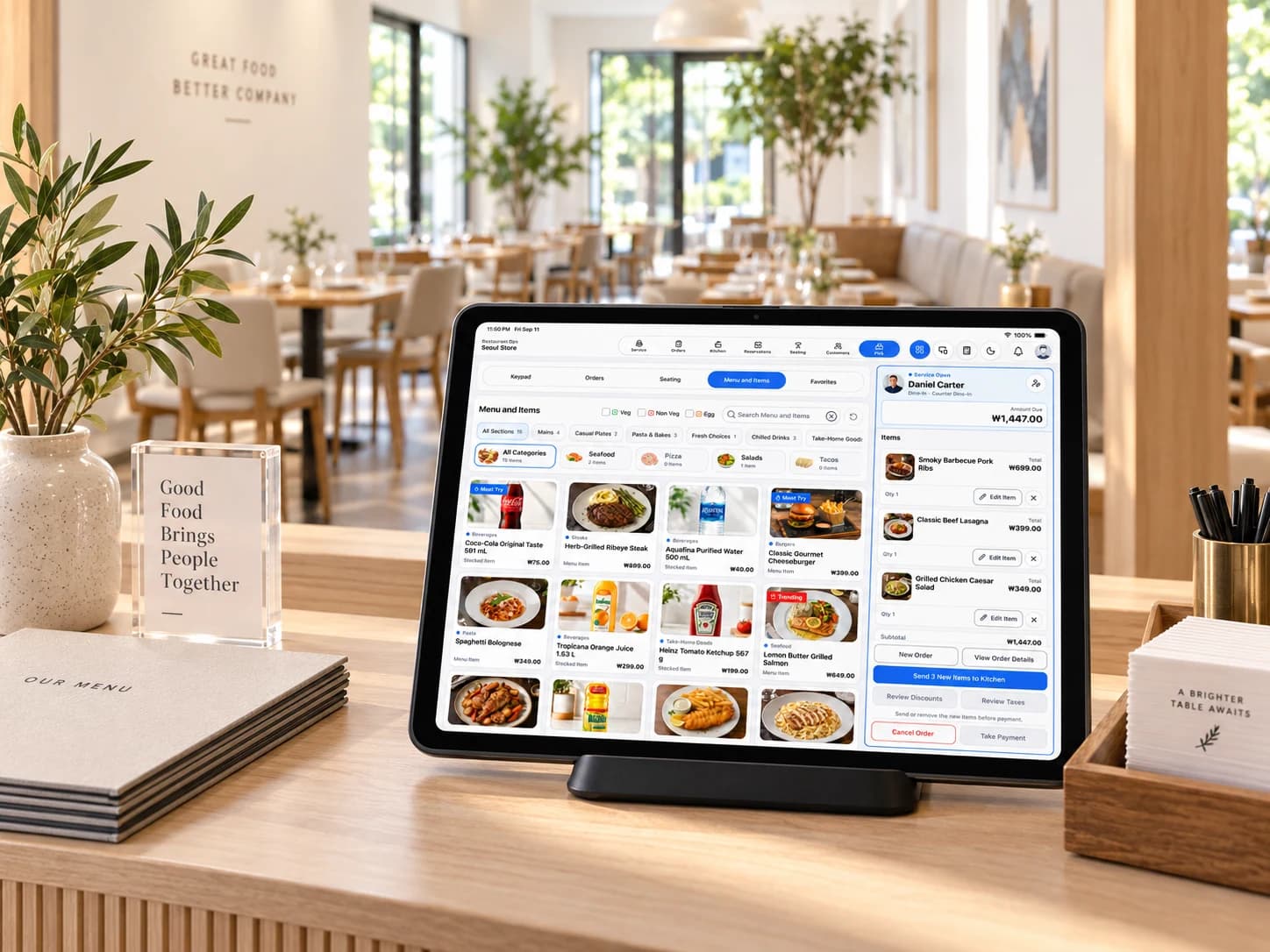
Neighborhood market
Scan items, review availability, and keep low-stock cues close to checkout.
Built For
Retail, Cafes + Services
Practical workflows for small teams
Checkout
Inventory-Aware POS
Current Sale and stock cues stay connected
Devices
Phone + Tablet
Purpose-built navigation for each screen
Owner View
Admin Dashboard
Daily signals, reports, and quick actions
Core workflows
BizAssist brings selling, stock, customers, reporting, and staff controls into one system without turning daily work into enterprise software.
Build a sale from items, services, favorites, barcodes, or a custom amount, then review every line before payment.
Faster checkout with cleaner completed-sale records.
Manage items, services, units, categories, options, variations, modifiers, discounts, images, and recorded stock movement.
Know what is available and why stock changed.
Scan needs attention, today at a glance, team access, recent activity, Sales Dashboard, Finance Dashboard, and detailed reports.
Start the day with clearer priorities and read-only business visibility.
Keep profiles, last-visit context, notes, photos, reminders, and avatars close to Manage and checkout.
Give returning customers more consistent service without heavy CRM software.
Use a four-area phone dock or a tablet management shell with Dashboard, Inventory, Activity, Users, Manage, and dedicated POS.
Keep the same business truth with layouts suited to each device.
Organize customers, checkout settings, personnel, account security, business branding, devices, billing, and owner-only lifecycle actions.
Delegate daily work while keeping sensitive controls permission-aware.
Built for everyday businesses
Everyday businesses—from neighborhood markets and cafes to apparel shops, food trucks, bookshops, florists, and grooming studios—run differently. BizAssist keeps checkout, inventory, services, customer context, and daily sales and stock visibility connected without forcing every business into the same routine.

Retail
Scan items, review availability, and keep low-stock cues close to checkout.

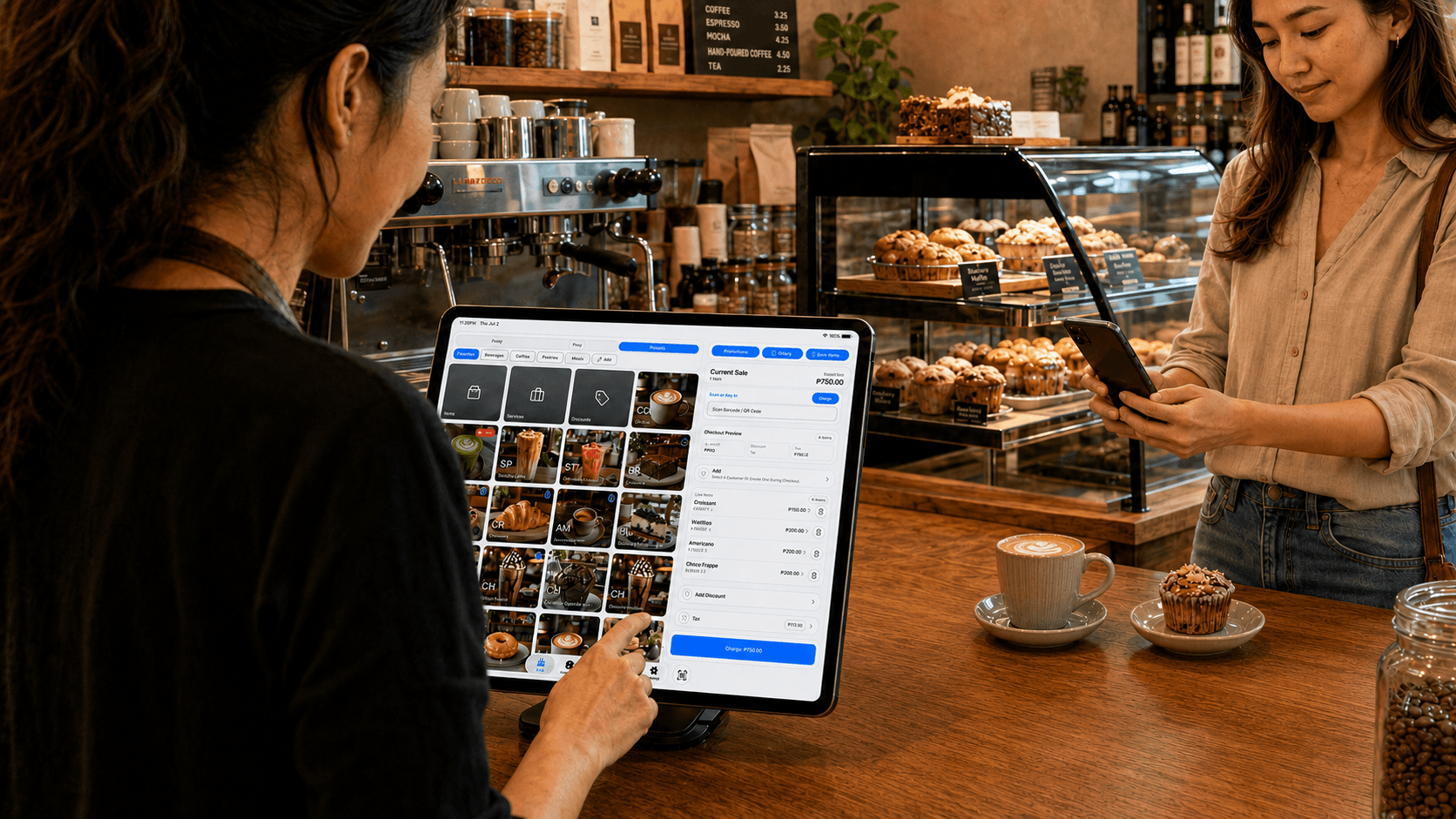
Counter service
Organize drinks, pastries, options, taxes, and stock details so staff can move smoothly from item lookup to checkout.

Catalog
Organize a broad catalog and help staff find the right item without slowing the line.

Products and customers
Keep products, variations, and useful customer details ready for more consistent service.

Mobile counter service
Keep items organized, record sales, and follow stock changes through a fast-moving service day.

Inventory
Organize products and variations while recording stock changes across a busy shelf.

Services
Set up service items, keep customer context nearby, and record each completed sale clearly.

Apparel retail
Keep sizes, colors, and stock organized so staff can find the right variation and move smoothly to checkout.

Daily operations
Keep catalog details, stock cues, and daily sales review connected from opening prep to close.
One connected workday
Build the products staff sell, then keep sales, stock, and team signals visible as the day moves. Each workspace stays focused on its job while the business keeps one connected operational view.

Cafe catalog setup
On phone or tablet, create items with photos, categories, taxes, options, pricing, and stock details so the same catalog is ready when staff start selling.
Explore catalog and inventory
Owner review
Admin Dashboard brings sales signals, low-stock cues, team access, and recent activity into one read-only view, then hands each change to the workflow that owns it.
Explore Admin Dashboard
Flexible presentation
Business branding can carry into landscape or portrait display layouts while the active sale remains read-only and staff-controlled.
Both sides of checkout
Staff build and complete the sale from BizAssist POS. A paired customer display can show a read-only view of the store identity, sale lines, totals, and configured scan-only payment QR.

Staff stay in control
Checkout decisions and payment recording remain on the seller's POS.

Customers see the essentials
The read-only display can mirror store branding, sale lines, totals, and a configured scan-only QR.
Illustrative business scenarios showing possible BizAssist setups. These scenes are not customer testimonials.
Industries and markets
BizAssist fits product-based and service-based businesses that need clear checkout, an organized catalog, stock visibility, customer context, and daily reporting—at a fixed counter or on the move.
A practical fit for item-heavy businesses that need barcode lookup, categories, units, stock movement, and low-stock cues.
Options and variations keep size, color, style, and other configured choices connected to the sellable catalog.
Fast item selection plus configured options, modifiers, taxes, and discounts support counter-led service and recorded checkout.
Service entries, duration details, customer context, and retail add-ons support straightforward service-counter sales.
Straightforward service sales can sit beside parts, materials, or products while specialized job management stays separate.
Phone and tablet layouts support prepared catalogs at fixed, mobile, seasonal, and event counters.
Core POS fit
Industry labels matter less than how the team sells. BizAssist is strongest when a business needs to select products or straightforward services, keep pricing and stock organized, and review completed sales clearly.
Review the complete feature guideThese examples describe the core BizAssist POS fit. They do not imply specialized booking, work-order, regulated-industry, table or kitchen management, accounting, payroll, or payment-processing capabilities.
Latest development
Recent product work keeps the active sale intact while common tools, daily insight, notifications, and device navigation become easier to reach.
“Current build” labels describe the repository build reviewed on July 22, 2026. Store availability can follow a separate release schedule.
POS
Calculator and Today's insights open from the standard tablet POS Top App Bar without leaving the active sale.
Navigation
Dashboard, Inventory, Activity, Users, and Manage stay in the management shell. Open POS switches into a dedicated selling workspace.
Activity
The tablet bell can preview permitted customer reminders and billing notices, then hand the full list to Activity.
POS
Camera and hardware scanning add to the same temporary Current Sale. Tablet Back, Done, and View Sale keep the return predictable.
POS
BizAssist POS keeps item selection, current sale review, tax and discount details, recorded payments, receipts, transactions, and refunds in one checkout flow.

Checkout
Counter checkout context for item selection, current sale review, and a clear customer handoff.
Inventory
Inventory tools stay focused on practical catalog operations: products, services, categories, units, taxes, options, variations, images, stock adjustments, and movement history.

Inventory
Inventory context for stock review, barcode lookup, item detail, and day-to-day product checks.
Customers
BizAssist customer tools are lightweight and practical, centered on lookup, customer profiles, last-visit details, notes, reminders, photos, and avatars used during store work.
Customers
Reports
Sales Report, End-of-Day Summary, Transactions, and Activity are read-only views over completed POS records.
Visibility
Admin Dashboard
The Admin Dashboard gives owners and permitted managers a read-only operational overview with needs-attention signals, today-at-a-glance metrics, team access, recent activity, and quick routes into the workflows that own each change.
Owner Overview
Management
Business onboarding, personnel, account security, business profile branding, digital wallets, business closure, and data controls are handled with built-in management tools.
Control
Built for Everyday Operations
Bring checkout, stock visibility, customer details, and daily review into one practical rhythm for phone and tablet.
Billing
BizAssist Pro is one business subscription for POS, Inventory, Customer Details, and Reporting. Prices and trial details are shown in the app.
BizAssist Pro
One active plan keeps the app simple for business owners: one subscription, clear access, and billing inside the app.
Flexible access for shops that want a monthly operating plan managed through the app billing flow.
Annual access for businesses standardizing their daily POS, inventory, and reporting routine.
App Availability
This page will use direct BizAssist App Store and Google Play links only when those listings are verified. Plan selection, purchase confirmation, and access checks remain inside the app.
iPhone and iPad
Direct listing not published here
Already have BizAssist installed? Open the app and continue through the owner billing flow to review eligible plan options.
Android
Direct listing not published here
Already have BizAssist installed? Open the app and continue through the owner billing flow to review eligible plan options.
When verified direct download links are available, they can be published here. Until then, this website does not link to a generic store homepage or claim that it is the BizAssist listing.
FAQ
The current app includes POS checkout, inventory and catalog management, customer details, reports, staff access controls, business branding, and BizAssist Pro subscription access. This public site is marketing-only; account, billing, and business data stay inside the app.
BizAssist is designed for small retail shops, cafes, service-based merchants, and similar small teams that need practical daily operations support.
Yes. Inventory is core to the current app: catalog records, categories, units, options and variations, stock adjustments, low-stock visibility, and movement history are handled through built-in tools.
Yes. Phone uses a four-area bottom navigation for POS, Inventory, Activity, and Manage. Tablet uses a management shell for Dashboard, Inventory, Activity, Users, and Manage, with checkout opened from the Top App Bar.
Yes. BizAssist includes lightweight customer records, POS lookup, customer attachment, last-visit details, notes, reminders, photos, and avatars. It does not claim broad CRM automation, campaigns, pipelines, messaging, or loyalty tooling.
No. Card and e-wallet options record how a sale was paid. They do not move money through a payment provider.
BizAssist Pro is the current subscription package for POS, Inventory, Customer Details, and Reporting.
Subscription setup, access recovery, and plan checks happen through mobile app billing. The website explains the plan but does not process payments.
BizAssist does not currently claim accounting, payroll, offline non-cash checkout, broad CRM automation, payment processing, direct printer setup or hardware transports, SMS receipts, scheduled reports, or report exports. Finalized sales can use the device OS print dialog.
No. The website introduces what BizAssist POS can do today. Sales, inventory, customers, account data, and billing actions remain inside the app.